PoE2 In-Game Build Planner: 7 Checks Before Importing a .build File
The PoE2 in-game build planner is useful when you want to share a build idea, but it should not
be treated as a finished route by itself. Before you import a .build file or copy a route, check
the class start, ascendancy, passive budget, weapon-set points, patch version, and any passive
tree changes that could break the plan.
A .build file is a starting point. Treat the route, passive budget, and patch context as separate checks before using it.
Use .build forsharing build intent, class choice, route notes, and reusable planning data.
Use a route lab forchecking current passive tree position, travel cost, and 0.5 changes.
Use PoB forcommunity theorycrafting when the tool supports the mechanic you are testing.
Do not skipclass start, ascendancy, weapon-set points, and patch-sensitive notable wording.
Quick answer: what the PoE2 in-game build planner is good for
The PoE2 in-game build planner search intent is practical rather than theoretical. Players usually
want to know what a .build file does, whether it can be imported safely, and how it compares with a
browser passive tree planner or Path of Building. The short answer: use the in-game planner or .build
export as the build container, then use a passive tree planner to audit the route before you spend
points in the live character.
That distinction matters because a build file can preserve the idea of a build without proving that
the current passive route is still efficient. PoE2 patches can move clusters, rename entries, remove
passives, or adjust notable stats. A saved plan that was accurate for an earlier tree may become too
expensive or mechanically weaker after a patch. The safest workflow is to import, inspect, compare,
and only then allocate.
Searchers also use phrases like PoE2 build planner and PoE2 ingame build planner for this workflow,
but the intent is narrower than a full build recommendation. This page focuses on import safety,
passive route verification, and when a browser route lab should sit between the saved file and the
live character. If the imported route assumes a different ascendancy, check the
PoE2 change ascendancy guide before you spend refund gold or
export a replacement file.
Practical rule: if a build depends on one keystone, one ascendancy notable, or a tight travel path,
never trust the import until you have checked those exact nodes on the current PoE2 passive tree.
The 7 checks to run before trusting a PoE2 .build file
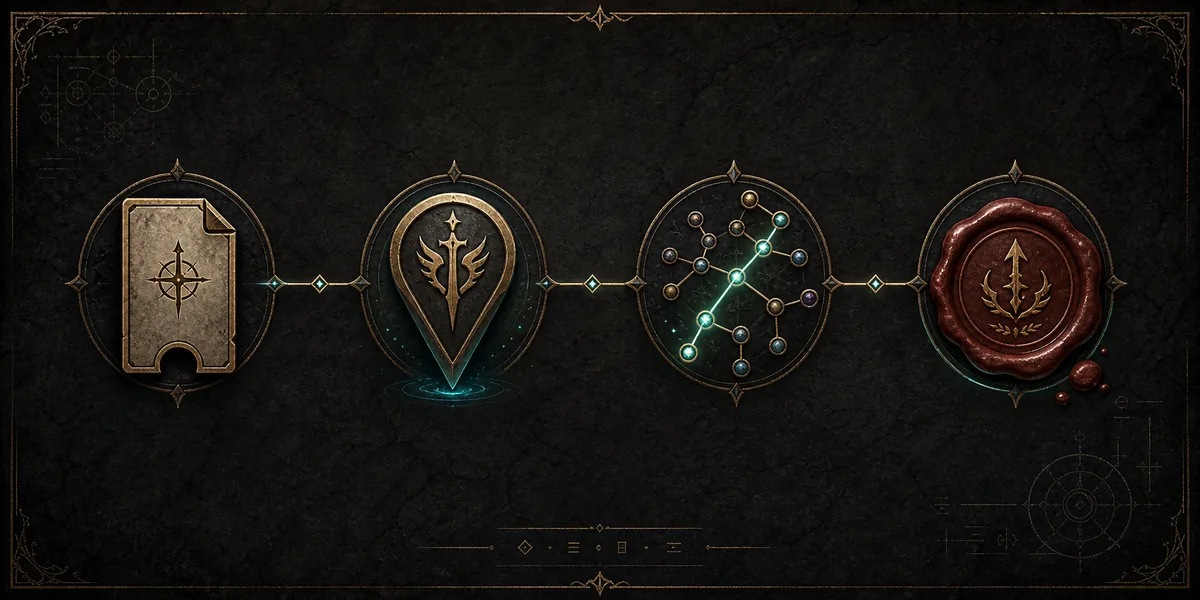
1. ImportOpen the file or route and confirm the build loads cleanly.
2. MatchConfirm class, ascendancy, and version assumptions.
3. AuditReview passives, travel cost, weapon sets, and changed nodes.
4. ExportSave a fresh plan only after the route still works.
Class start: confirm the build begins from the intended class area. A wrong start can make the whole path misleading.
Ascendancy: check whether the build assumes an ascendancy start, ascendancy notable, or class-specific mechanic.
Passive budget: compare total allocated points with the level and quest rewards you realistically expect to have. Use the PoE2 skill point quests checklist to audit missing campaign weapon-set rewards.
Weapon-set points: make sure weapon-swap allocations are not counted as free general passives.
Changed notable wording: read the current notable text, not only the saved passive name.
Travel cost: recheck long routes around moved clusters because one extra connector can change the value of a path.
Export freshness: after editing, export a new .build file or route note instead of reusing the older copy.
What a PoE2 build planner import can and cannot prove
A successful import proves that the file can be read. It does not automatically prove that every
passive still exists, that the build's level budget is realistic, or that the route is still the
shortest way to reach the required notables. Treat the imported data as evidence to inspect, not as
permission to copy the route without context.
Import evidence
Usually reliable for
Still needs manual review
Class and ascendancy fields
Identifying the intended starting area and specialization.
Whether the route actually begins from that start and uses the right ascendancy notables.
Saved passive list
Reconstructing the intended path and major notables.
Moved, renamed, removed, or stat-changed passives in the current tree.
Skills and item notes
Understanding the build's damage, defense, and gear assumptions.
Whether those assumptions still match your patch, level, weapon set, and available gear.
Export timestamp or source note
Knowing when and where the build idea was saved.
Whether a newer patch, community correction, or current in-game behavior changed the route.
In-game planner vs browser passive tree planner vs Path of Building
These tools overlap, but they do not answer the same question. The in-game build planner is closest
to your actual game-side planning state. A browser PoE2 passive tree planner is faster for route
inspection, search, comparison, and sharing notes. Path of Building is a separate community tool that
many players associate with deeper build theorycrafting, but it depends on its own feature support
and data model.
Tool or workflow
Best use
Check before relying on it
New page fit
PoE2 in-game build planner
Sharing and loading build intent through game-connected build data.
Version, class start, import success, and whether the saved route matches the current tree.
Primary topic for this guide.
Browser PoE2 passive tree planner
Fast route review, passive search, 0.4 vs 0.5 comparison, and exportable notes.
Whether the planner data matches the patch you are actually playing.
Use as a supporting workflow and internal link.
Path of Building PoE 2
Community theorycrafting when you need deeper calculations or PoB-specific workflows.
Whether PoB supports the exact PoE2 mechanic, skill, or item interaction you are testing.
Not a page target here because searchers expect PoB.
Generic PoE2 build pages
Build recommendations, leveling routes, and class-specific guides.
Whether the guide is current for the patch and shows the route budget clearly.
Too broad for this site unless tied to a route workflow.
How to use this route lab after importing a build
After you import or reconstruct a PoE2 build planner route, open the PoE2 0.5 passive tree planner
and start with the passives that define the build. Search for the keystone first, then the major
notables, then the ascendancy path. This order prevents you from spending time on small travel nodes
before confirming that the build's core mechanic still exists and still says what the guide expects.
The import workflow is sequential: load the file, confirm the character context, inspect the passive route, then save a fresh version.
Next, turn on the 0.5 change overlay when you are reviewing an older route. Added, removed, moved,
renamed, and stat-changed passives need different decisions. A removed notable requires a replacement.
A moved cluster requires a travel-cost check. A stat-changed notable requires a mechanical check, because
the route may still connect but no longer provide the same value.
Finally, save new notes after the route passes those checks. A clean export should include the class,
ascendancy, major passives, intended skill package, and any item or weapon-set assumptions. If the file
cannot explain why the route takes a long path, add a note before sharing it with another player.
Common import problems and what they usually mean
Problem
Likely cause
Fix
The build loads but the route looks too expensive.
The file may assume a different level, quest state, or weapon-set budget.
Compare allocated points against your expected budget and remove test-only travel nodes.
A key notable cannot be found.
The passive may have moved, been renamed, or been removed in the current tree.
Search the current passive tree and review the 0.5 changes page.
The imported build has no clear damage or defense path.
The export may be a draft, leveling sketch, or partial route rather than a finished build.
Add notes for the core mechanic, then rebuild the route around those passives first.
PoB and the in-game planner disagree.
The tools may model a mechanic differently or use different data freshness.
Use official game behavior as the final reference, then keep the browser route as a planning aid.
When not to create a new build from an imported plan
Some imports are useful for learning but risky as a direct character plan. Be cautious when the file
depends on very specific gear, a rare unique interaction, a temporary patch mechanic, or an unexplained
travel route. In those cases, the better move is to split the build into assumptions: what the passive
tree must provide, what the skills must provide, and what the items must provide.
You should also be careful with old league-start plans. They often include shortcuts, leveling choices,
or early economy assumptions that were correct for a specific moment. If the goal is to copy a build
today, rebuild the passive route from the current tree and treat older exports as references rather
than instructions.
Sources and verification notes
The official Path of Exile developer documentation describes game data objects used by community
tooling, including exported build-oriented data. Use the
Path of Exile developer docs
and in-game behavior for authoritative format changes. For community build calculation workflows,
the Path of Building Community
project is a separate reference point, not the same thing as a PoE2 in-game planner import.
This site is an independent fan-made route lab. Its job is to make passive tree review, 0.5 comparison,
route notes, and export checks easier. It does not replace the official game client, official patch
notes, or the final in-game result.
FAQ
What is the PoE2 in-game build planner?
It is the game-side build planning workflow associated with PoE2 build data and .build exports.
Treat it as a way to preserve and share build intent, then verify the actual route on the current
passive tree before using it.
Can I use a .build file as a finished PoE2 build?
Not without checking it. A .build file can be incomplete, outdated, or built around assumptions that
do not match your class, level, patch, or gear. Run the seven checks above first.
What should I check after a PoE2 build planner import succeeds?
Confirm the imported class, ascendancy, passive count, weapon-set points, key notables, and patch
version. Then compare the route against the current passive tree before exporting a fresh file.
What should a PoE2 build planner import prove?
It should prove that the saved class, selected passives, notes, skills, and item assumptions were
captured. It still cannot prove that the current 0.5 tree makes the same route efficient.
Is PoE2 in-game build planner the same as Path of Building?
No. Path of Building is a separate community tool. It can be useful, but it has its own import,
calculation, and support limits. Use the in-game planner, PoB, and a browser passive tree planner
for different stages of the same build review.
What long-tail keyword should this page support?
The main target is poe2 in game build planner. Supporting phrases include poe2 ingame build planner,
poe2 build planner, poe2 build file import, poe2 passive tree planner, and path of building poe 2
when discussed as a comparison rather than the page's main intent.